
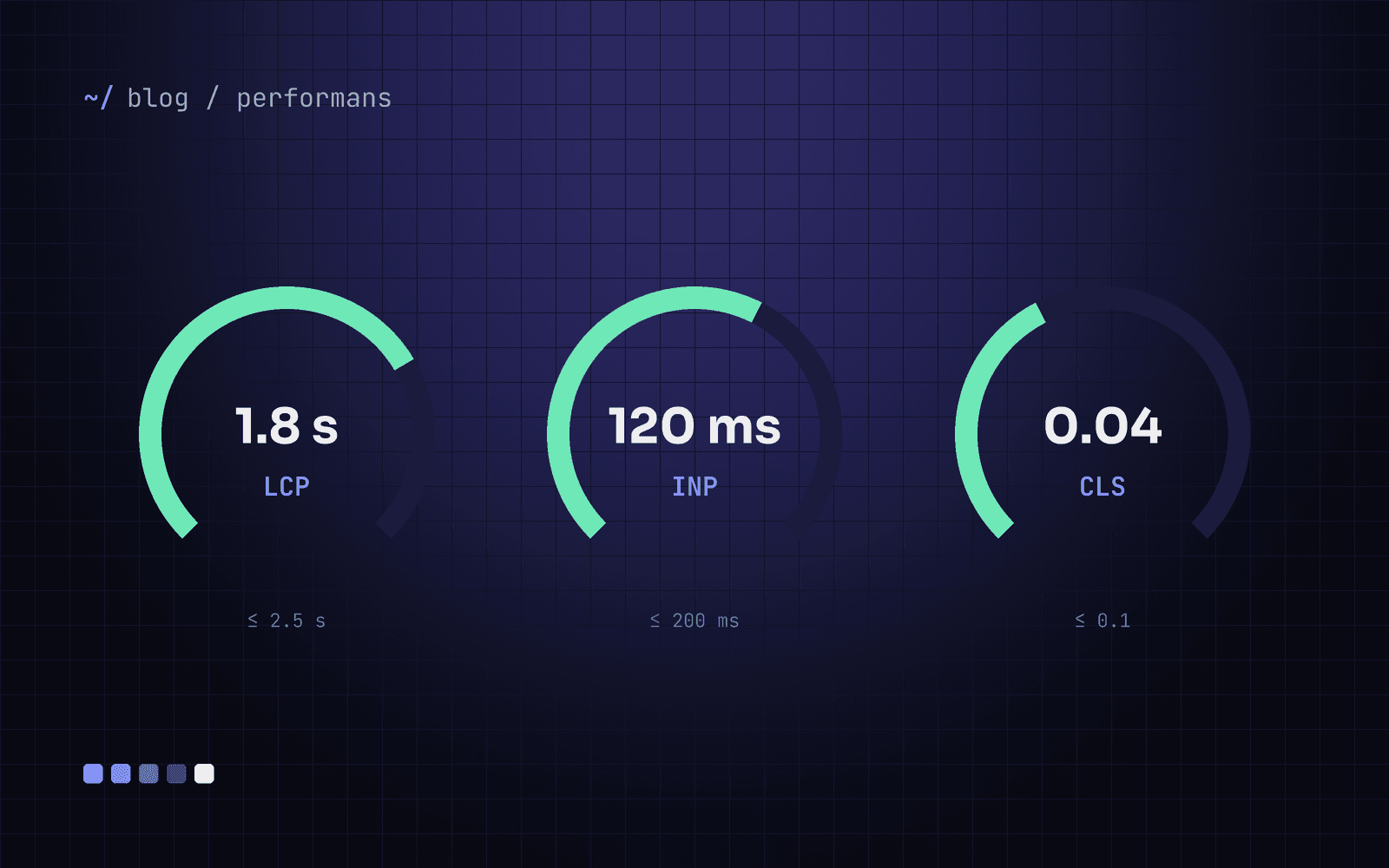
A corporate website makes its first impression before the visitor reads a single word: how quickly did the page appear, how fast did it react to a tap, did the content jump while loading? Google measures these three experiences as Core Web Vitals and uses them in ranking.
The targets, for 75% of real users:
LCP (largest content visible): under 2.5 seconds
INP (response to interaction): under 200 milliseconds
CLS (visual shift): under 0.1
LCP: show the main image and text fast
The most common cause is the page's largest element (usually the hero image) being discovered late.
Load the hero image with priority:
priorityin Next.js,fetchpriority="high"in plain HTML.Serve images as AVIF/WebP at a width that matches the screen. Sending a 4000-pixel photo to a phone is the most common mistake.
Do not fetch the main content on the client; send it as server-rendered HTML.
Serve static pages from cache and refresh only the affected page when content changes.
INP: keep the main thread free
INP is the time between a user's tap and the screen updating. The main enemy is heavy JavaScript.
Load third-party scripts (analytics, chat, pixels) after consent and deferred. Cookie consent requires this anyway.
Leave non-interactive sections as server components and shrink the JavaScript sent to the browser.
Break up long tasks. Any work over 50 milliseconds makes the next tap wait.
CLS: reserve space for everything
Text sliding down while you read is annoying and causes mis-taps.
Give images and embeds a width and height (or an
aspect-ratio).Pair web fonts using
font-display: swapwith a size-matched fallback font; the Next.js font module does this automatically.Place late arrivals such as the cookie banner over the page instead of pushing content down.
Do not optimise without measuring
Lab tools (Lighthouse) point the way, but decisions should rest on real-user data. The Core Web Vitals report in Search Console and a small web-vitals measurement on your site show which page struggles on which device.
Performance is not a one-off project, it is a budget. Every new script and every new image spends from it.
We built our own corporate site with this checklist. If you would like to measure where your site stands today, get in touch.